How to check withdrawal progress? (WEB version)
Updated on:
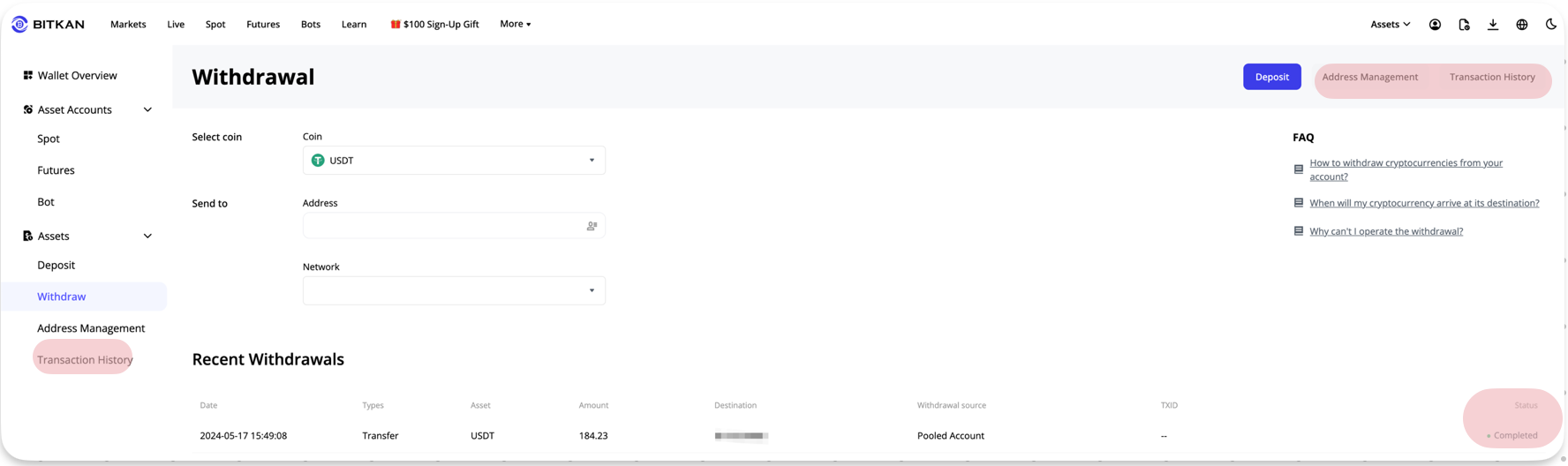
After submitting your withdrawal information, you can check the current withdrawal progress on the withdrawal details page.
You can refer to the following steps:
1. Log in to the BITKAN website, click on [Assets] in the upper right corner — [Asset Records]
2. Select [Withdrawal] under [Type], and you can check the withdrawal status of the currency. When the status shows "Completed," it means BITKAN has processed the asset transfer, and it will reach the recipient once the blockchain confirmation is complete.