How to Deposit (Web Version)
Updated on:
Depositing refers to transferring digital assets from a wallet or another platform's account to another platform's account. If you need to deposit assets from other platforms to BITKAN, you can follow the steps below to make a deposit.
Taking USDT as an example:
1. Open the BITKAN webpage — click on the[Assets] — [Wallet Overview] in the upper right corner — select [Deposit];
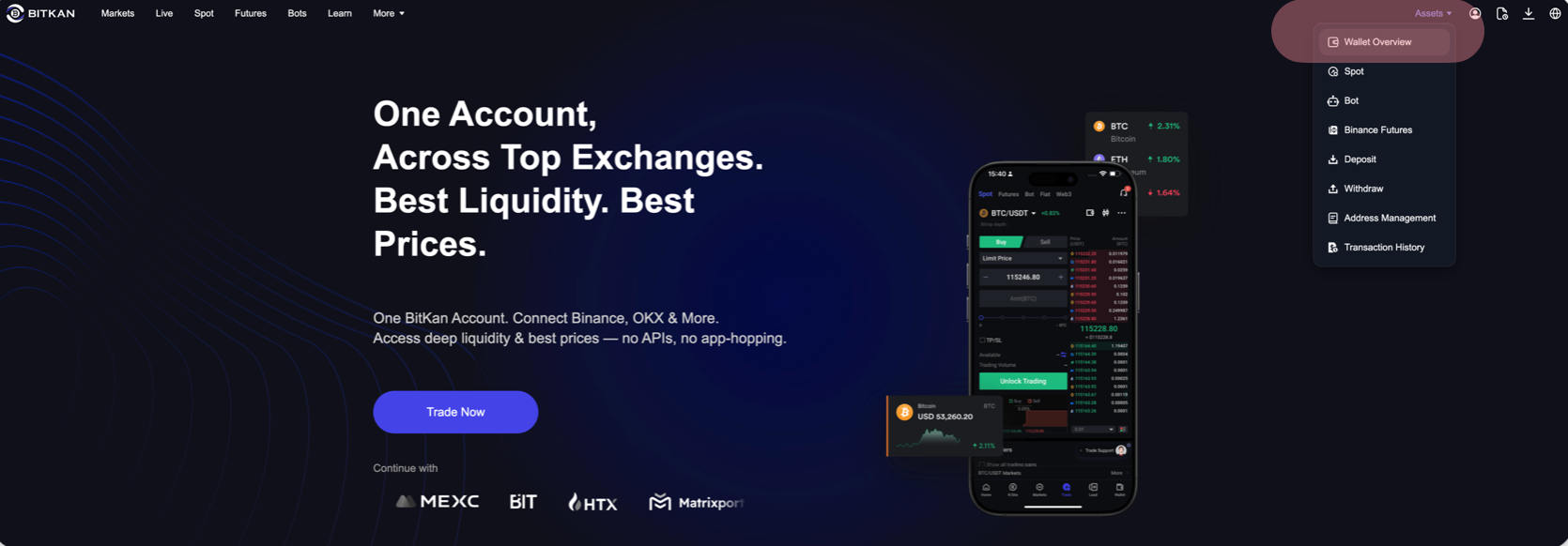
2. Choose the currency you want to deposit [USDT] — select the available deposit network for USDT, such as [TRX Tron (TRC20)] — [Copy] the deposit address;
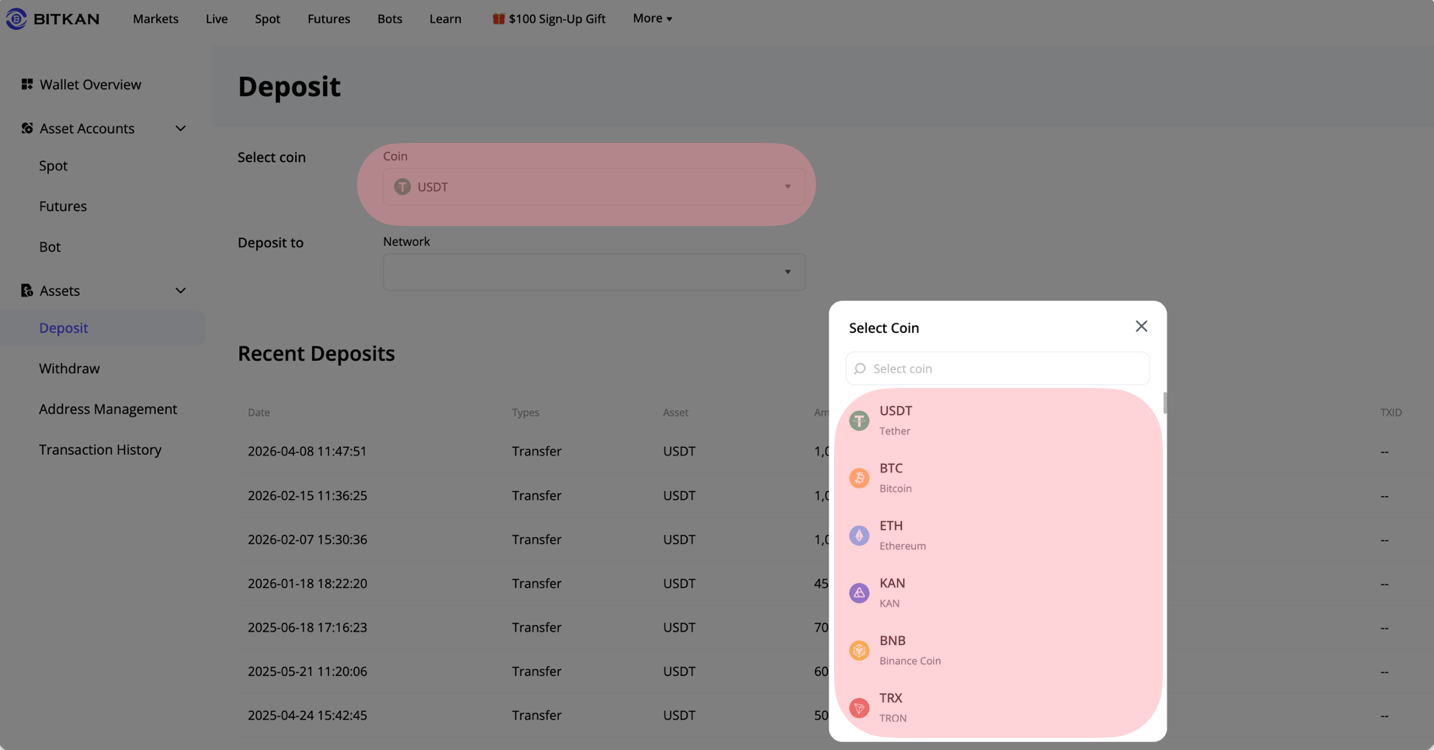
3. Open another platform or wallet, paste the address, and complete the deposit as required.
Note: When selecting to deposit "USDT", this address can only receive Tether (USDT). Do not deposit other currencies, otherwise, your deposited assets cannot be recovered.
When selecting the deposit "network", the [withdrawal/withdrawal network] of other exchanges or wallets must match the deposit network of BITKAN, for example, both should be Tron (TRC20), otherwise, the coins will be lost.
Note:
Please ensure you have completed KYC before topping up.
The withdrawal network must match BitKan’s deposit network (e.g., both TRON (TRC20)). Mismatched networks result in permanent asset loss.