How to Complete real-name verification on BitKan?
Updated on:
Real-Name Verification Requirements
To comply with government and financial regulations, real-name verification is required for fiat currency transactions (deposits and withdrawals) on BitKan.
Verification Levels and Withdrawal Limits:
1. Lv0 (Basic Verification): 10,000 USDT/24h.
2. Lv1 (Standard Verification): 1,000,000 USDT/24h.
3. Lv2 (Advanced Verification): 2,000,000 USDT/24h.
How to Complete Verification on the BitKan App:
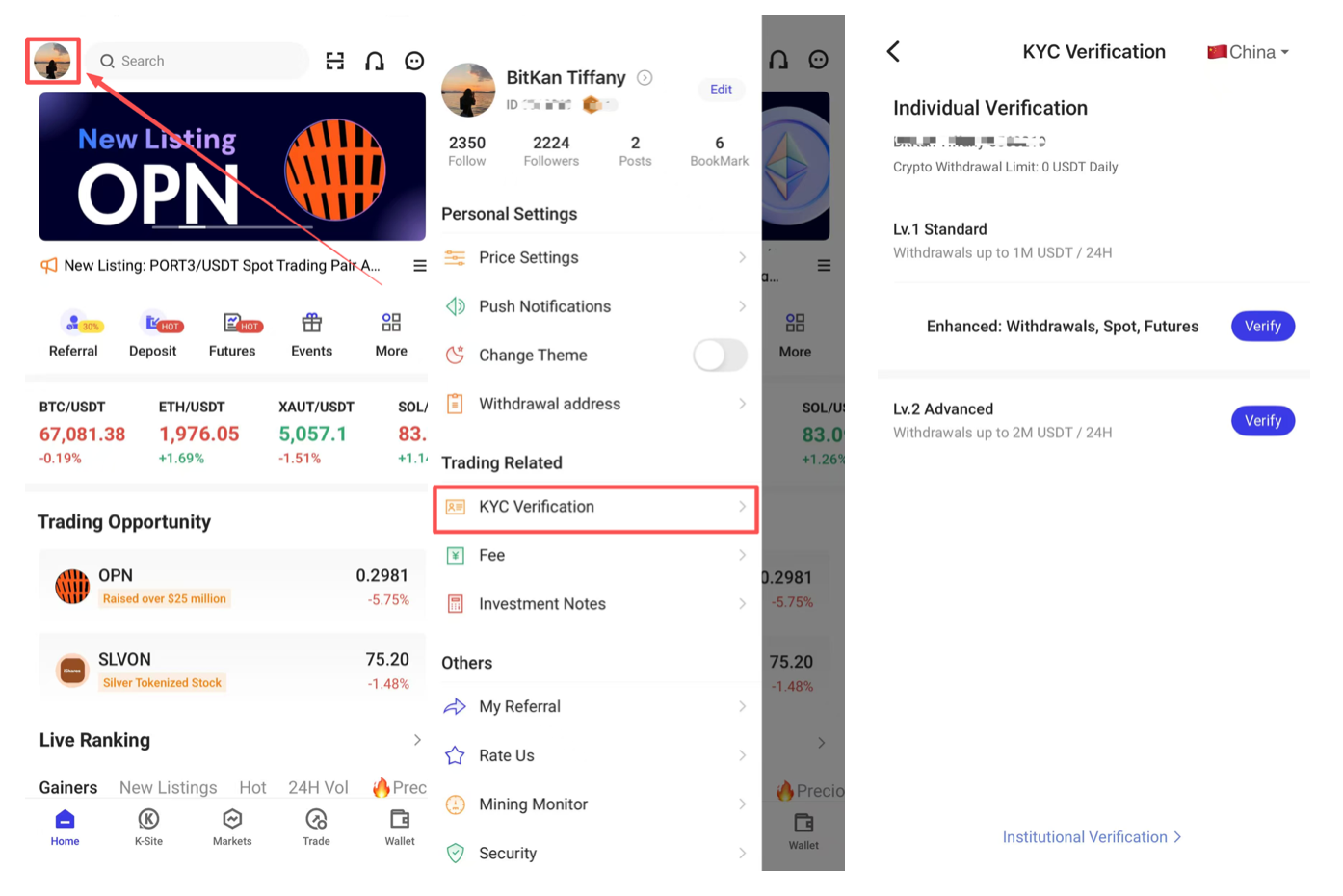
1. Open the BitKan App → Tap the profile icon → [KYC Verification].
2. Follow the on-screen instructions for your desired level:
How to Complete Verification on the Web:
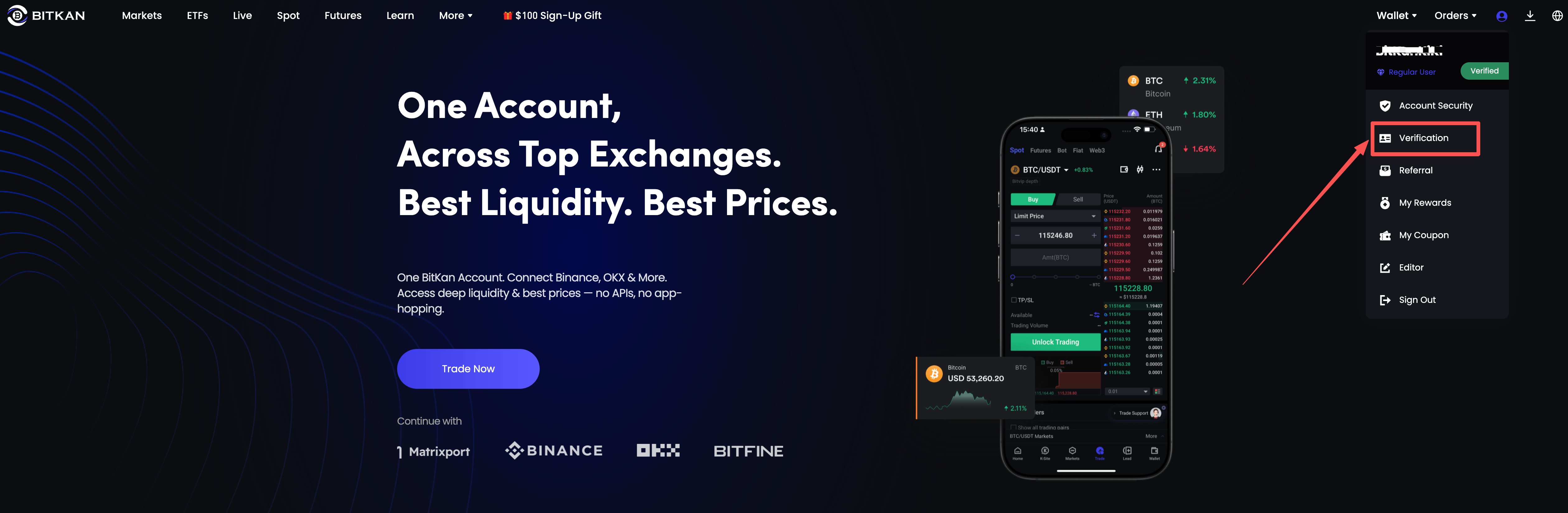
1. Log in to the BitKan website → Click the profile icon → Select [Verification].
2. Lv0 (Basic Verification):
3. Click Lv0 Basic Verification → [Start Now].
4. Upload a clear photo of your ID.
Lv0 (Basic Verification):
1. Upload clear photos of your ID documents.
2. Review takes 1-3 business days.
Lv1 (Standard Verification):
1. Fill in personal details (e.g., name, address, date of birth).
2. Upload ID documents and complete facial recognition.
3. Results are typically provided within 48 hours.
Lv2 (Advanced Verification):
1. Upload proof of address (e.g., utility bills, bank statements).
2. Sign and upload the disclaimer statement.
3. Review takes 1-3 business days.