logo
  • menu
  • Markets
  • ETFs
  • Live
  • Spot
  • Futures
  • Learn
  • Sign In
  • Sign Up
  • Downloads
  • English
  • |
  • USD
  • |
Sign Up
Crypto PricesLearnLatest NewsDownloadsMarketsSpotAnnouncements
Home/
Learn/
Tutorials

How Long Does the Apple Refund Take? How to Request for the Apple Refund?

By Wayne Ingram
Jan 10, 2024
4.3 
★
★
★
★
★
★
★
★
★
★
 228 User Rating
Share

This article is about how long does the Apple refund take. If you have recently purchased an Apple product and you are not satisfied with it, you may be wondering how long does Apple refund take.

How Long Does the Apple Refund Take?

The duration for an Apple refund process can vary based on several factors, but typically, once initiated, refunds from Apple can take about 3 to 5 business days to reflect in your account. This timeline might differ depending on the payment method used for the original purchase.

Credit card refunds: If you made the purchase using a credit card, refunds generally appear within 3-5 business days, but it might take longer for your bank to process the refund fully.

Debit card refunds: For debit card transactions, the refund timeline can vary more widely. It might take up to 10 business days or more for the refunded amount to show up in your account, as the processing time could depend on your bank.

App Store Credit: If the refund is processed as App Store credit, the amount is usually available immediately for use on the App Store, iTunes Store, or towards future purchases.

For more accurate and detailed information regarding a specific refund, it's advisable to check the status directly on the Apple website, your purchase confirmation email, or get in touch with Apple Support.

How to Request for the Apple Refund?

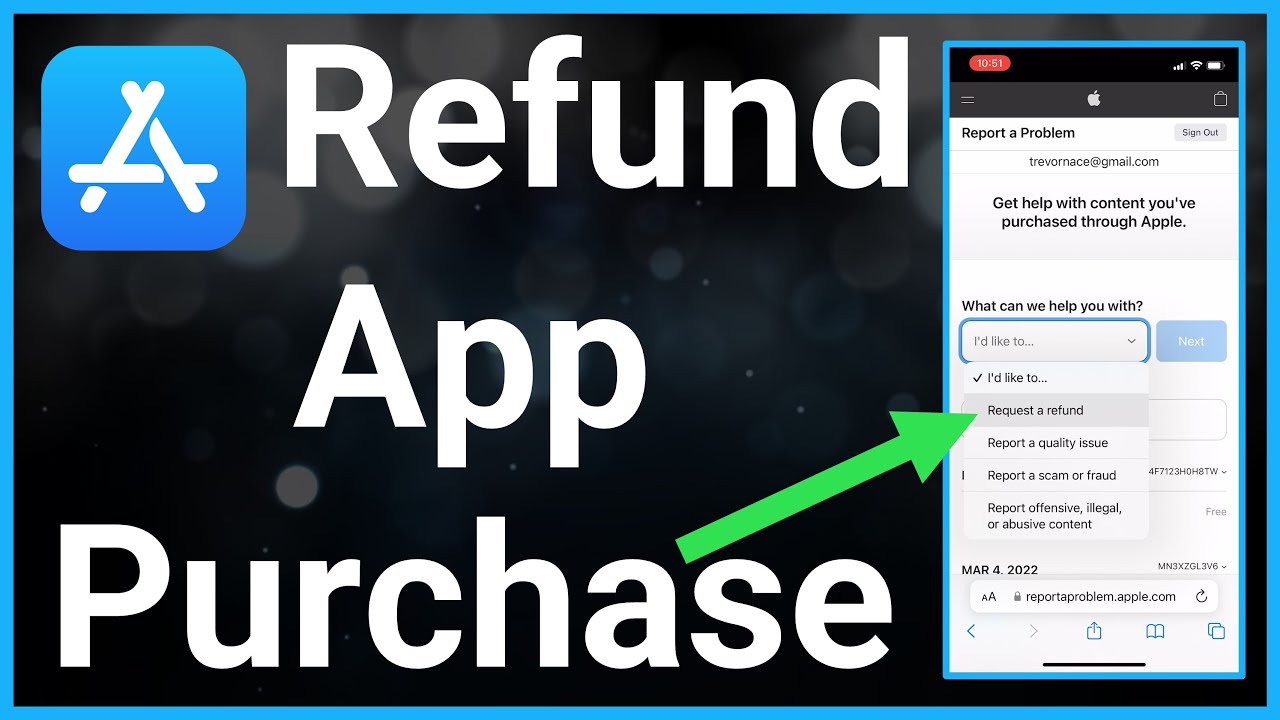
The first step is to contact Apple Support and explain why you want to return your product. You can do this by phone, chat, or email. Depending on the product and the reason for the return, you may be eligible for a refund or an exchange. You can also check the status of your refund request online.

The second step is to prepare your product for return. You will need to pack it securely in its original packaging, along with all the accessories, manuals, and receipts. You will also need to erase any personal data from your device, such as your Apple ID, iCloud account, photos, contacts, etc. You can find instructions on how to do this on Apple's website.

The third step is to ship your product back to Apple. You will receive a prepaid shipping label from Apple Support that you can print and attach to your package. You will also receive a tracking number that you can use to track your shipment. You should ship your product within 14 days of receiving the shipping label.

The fourth and final step is to wait for your refund. Once Apple receives and inspects your product, they will process your refund within 7 business days. The refund will be issued to the original payment method that you used to purchase the product. Depending on your bank or credit card company, it may take another few days for the refund to appear in your account.

Bottom Line

In this article, we have discussed how long does the Apple refund take. To summarize, the answer to how long does Apple refund take is: it depends. It depends on the product, the reason for the return, the shipping method, and the payment method.
Disclaimer: The information on this page may have been obtained from third parties and does not necessarily reflect the views or opinions of BitKan. This content is provided for general informational purposes only, without any representation or warranty of any kind, nor shall it be construed as financial or investment advice. BitKan shall not be liable for any errors or omissions, or for any outcomes resulting from the use of this information. Investments in digital assets can be risky. Please carefully evaluate the risks of a product and your risk tolerance based on your own financial circumstances. Products mentioned in this article may not be available in your region.

Related Articles

  • How To Send a Friend Request on Discord: A Comprehensive Guide

    How To Send a Friend Request on Discord: A Comprehensive Guide

    Whether you've just joined a Discord server or want to expand your social circle, sending friend requests is a simple process that can bring you closer to like-minded individuals.
    Jerry McNeill
    Dec 25, 2023
  • How to Request Refunds from Apple App Store? What to Do After Submitting a Refund Request?

    How to Request Refunds from Apple App Store? What to Do After Submitting a Refund Request?

    This article is about how to request refunds from Apple App Store. Refund requests might seem daunting, but they are possible within certain parameters.
    Martha Grizzard
    Dec 22, 2023
  • How to DM Someone on Discord? How to Check Message Requests?

    How to DM Someone on Discord? How to Check Message Requests?

    This article is about how to DM someone on Discord. Discord is a popular platform for online communication, especially for gamers and communities.
    Christopher Smith
    Dec 15, 2023

Latest Articles

Crypto Basics

Tutorials

Currencies

Investing

  • What is the MSX X Card? Understanding the New Crypto Card

    What is the MSX X Card? Understanding the New Crypto Card

    The MSX X Card is a financial instrument launched by the MSX Maitong platform that functions as a payment gateway for digital assets
    James Dean
    Jun 8, 2026
  • What is Bitwise Hyperliquid ETF? How Does BHYP Work?

    What is Bitwise Hyperliquid ETF? How Does BHYP Work?

    The Bitwise Hyperliquid ETF is a spot-based investment vehicle that holds the physical HYPE token rather than derivatives or futures contracts.
    Hallie Gill
    May 18, 2026
  • What is PaperTrade on HyperEVM? Is Zero Funding Real?

    What is PaperTrade on HyperEVM? Is Zero Funding Real?

    PaperTrade is a high-performance perpetual exchange deployed on HyperEVM, the permissionless smart contract layer of the Hyperliquid L1.
    Craig Green
    May 18, 2026
  • What Is Circle Arc? How Does the New USDC Blockchain Work?

    What Is Circle Arc? How Does the New USDC Blockchain Work?

    Circle Arc is a specialized Layer-1 blockchain developed by Circle Internet Financial, the issuer of the USDC stablecoin.
    Barry Stidham
    May 18, 2026
  • What is POD Token? How Does ITS Dolphin AI Flywheel Work?

    What is POD Token? How Does ITS Dolphin AI Flywheel Work?

    The POD token is the central utility and value-capture mechanism for the Dolphin AI inference network.
    James Dean
    May 13, 2026
View more data 

Content

BTCBTC(BTC)
$0
--(Last 24h)
SpotFutures

Top

View more
  1. 1How To Sign Up For A BitKan Account (Web)?
  2. 2When Is Bitcoin Halving 2024? What Does Bitcoin Halving Do?
  3. 3What is Etherscan Used For and How to Find Token Decimal on Etherscan
  4. 4What is USDC used for? Why is USDC used?

Top Gainers

View more
UNC
UNCUNC

$0.001606

+99.26%
DeepNode
DeepNodeDN

$0.6076

+69.06%
Audiera
AudieraBEAT

$7.8645

+64.76%
Hamster Kombat
Hamster KombatHMSTR

$0.000279

+56.39%
Asteroid Shiba
Asteroid ShibaASTEROID

$0.000116

+42.06%

Top Trending

View more
Velvet
VelvetVELVET

$0.7969

+113.29%
FOLKS
FOLKSFOLKS

$2.1801

+15.15%
pippin
pippinPIPPIN

$0.0206

-4.32%
Ordinals
OrdinalsORDI

$3.1820

+3.61%
Solana
SolanaSOL

$65.1000

+0.90%

Recently added

View more
Jotchua
JotchuaJOTCHUA

$0.004358

-11.62%
Kinetiq
KinetiqKNTQ

$0.2012

-12.37%
Citrea
CitreaCTR

$0.0128

-15.51%
Solstice
SolsticeSLX

$0.1809

-7.80%
Nexus
NexusNEX

$0.00000337

+14.99%

Latest News

View more
  1. 1Bitcoin Jumps to $63K, Liquidating $504M in Short Positions
  2. 2XRP Price Recovers to $1.14 Amid Steady Institutional Inflow
  3. 3Bitcoin Slumps Below $77k as Iran Tensions & Inflation Rise
  4. 4VerifiedX Launches Bitcoin Sidechain for Native DeFi Privacy
  5. 5Japan’s SBI and Rakuten Plan Crypto Trusts as Rules Finalize
About Us
  • About BitKan
  • Contact Us
  • Announcements
  • VIP Program
  • BitKan Ambassador
  • Institutional Services
Products
  • Spot
  • Futures
  • Crypto Prices
  • Learn
  • News
  • Markets
  • How to Buy Crypto
  • BTC to USD Calculator
  • Reward
Help
  • Help Center
  • Email Us
  • Live Chat
  • Download APP
  • Listing Application
  • Buy Bitcoin
  • Buy Ethereum
  • Buy Dogecoin
  • Buy Altcoins
Terms
  • Terms of Use
  • Privacy Policy
  • Trading Rules
  • Fee
K-Site
English
About Us
+
  • About BitKan
  • Contact Us
  • Announcements
  • VIP Program
  • BitKan Ambassador
  • Institutional Services
Products
+
  • Spot
  • Futures
  • Crypto Prices
  • Learn
  • News
  • Markets
  • How to Buy Crypto
  • BTC to USD Calculator
  • Reward
Help
+
  • Help Center
  • Email Us
  • Live Chat
  • Download APP
  • Listing Application
  • Buy Bitcoin
  • Buy Ethereum
  • Buy Dogecoin
  • Buy Altcoins
Terms
+
  • Terms of Use
  • Privacy Policy
  • Trading Rules
  • Fee
K-Site
+
  • Twitter
  • Facebook
  • Telegram
  • YouTube
  • Instagram
  • Medium
  • Linkedin
@2012-2026 BITKAN.com