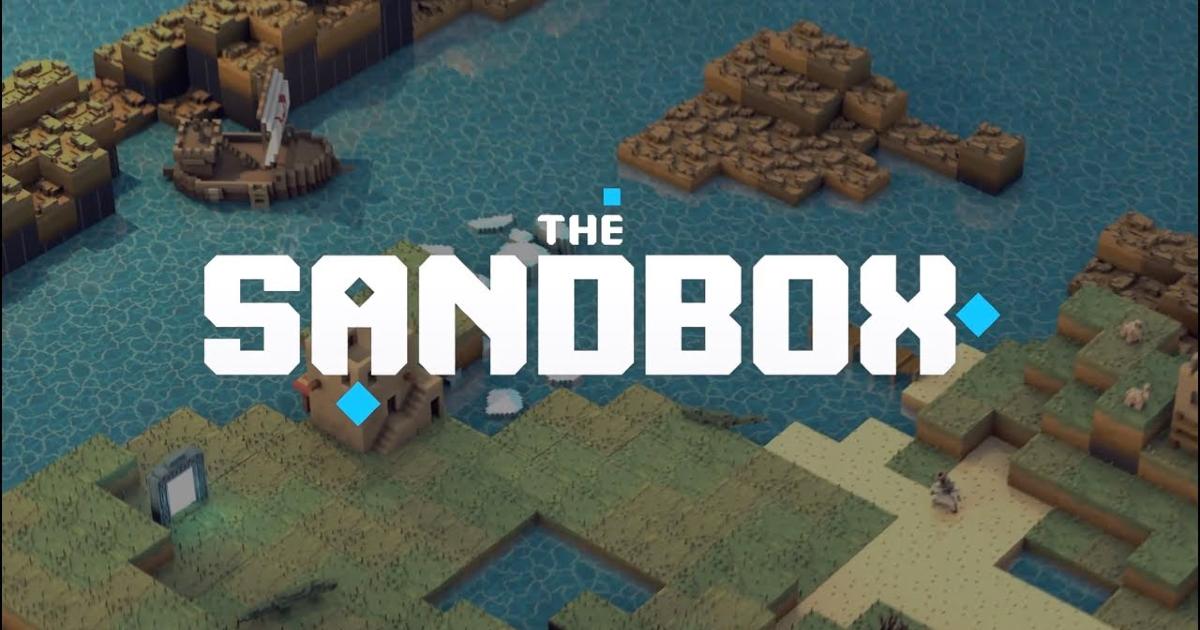
The gaming industry is investing more resources in bringing their projects on the blockchain, especially in creating metaverses to enhance the gaming experience. Metaverses on blockchain transform how people interact with each other and redefine the ownership of in-game digital assets.
One of the hottest blockchain game projects that offer players a unique virtual experience is The Sandbox. It unleashes players' creativity by allowing them to contribute to the gaming items and virtual land, all based on non-fungible tokens (NFTs). In this article, you’ll be able to find out how to play The Sandbox and potentially make money playing the game simultaneously.
What is The Sandbox?
The Sandbox is a play-to-earn blockchain game that allows players to build a virtual world using non-fungible tokens (NFTs) on the ETHereum blockchain. Players can design their own avatars to access the different games, environments, and hubs on The Sandbox metaverse. You can think of the game as a DeFi version of Minecraft on the blockchain.
Launched in 2011 by Pixowl, The Sandbox was initially a mobile gaming platform intended to rival Minecraft. It became a hit and generated more than 40 million downloads worldwide. But in 2018, the co-founders Arthur Madrid and Sebastien Borget decided to explore the potential of creating a 3D metaverse on the blockchain. Their goal is to let users truly own their creations as NFTs and earn rewards while participating in the ecosystem. The new Sandbox project was released in 2020 and became one of the fastest-growing games in the crypto world, along with Axie Infinity and Decentraland.
In November 2021, The Sandbox raised $93 million in funding from investors led by the Japanese mobile giant SoftBank. The game also attracted over 50 partnerships, including Atari, a famous gaming company, CryptoKitties, The Walking Dead, and hip-hop star Snoop Dogg.
How Does The Sandbox Work?
The Sandbox is a dynamic virtual world with user-generated creations. Players can build and create their own NFTs, including avatars, virtual goods, and even games using VoxEdit and Game Maker. Not only can they use the virtual goods to interact with other players, but they can also monetize these NFTs by trading on the Sandbox Marketplace.
What is Sandbox (SAND)?
Sandbox (SAND) is the native token of The Sandbox. It is an ERC-20 token with a total supply of 3 billion SAND. As a utility token, SAND is used to perform any type of transaction and interaction within The Sandbox ecosystem. This means that players need to own SAND to play the game, customize their avatars, buy LANDs, or trade ASSETS on the Sandbox Marketplace.
SAND is also a governance token. SAND holders can propose and vote on changes to the platform through a Decentralized Autonomous Organization (DAO) structure. In addition, holders can stake SAND within the game to earn rewards, including a share in the revenue from all transactions in SAND tokens. Most importantly, staking SAND can increase the chances of finding valuable GEMs and CATALYSTs, the game resources needed for creating ASSETS with a higher rarity.
SAND can be acquired through playing different games and contests in The Sandbox or purchased on cryptocurrency exchanges like Binance.
Prerequisites to Playing The Sandbox
To begin playing The Sandbox Crypto Game, you must first fulfill a few prerequisites. First, you must have a computer, laptop, or smartphone to play on. You also need internet access. Following that, you’ll need a MetaMask wallet with ETHereum put into it.
If you plan to play the game on a PC or laptop, the following minimum system requirements must be met:
- OS: Windows XP
- Processor: 1 GHz
- Memory: 512 MB RAM
- Graphics: OpenGL 1.5 or higher
- Storage: 256 MB available space
- Network: Broadband Internet connection
If you wish to play the game on iOS or Android, go to your local app store and download it.
How to Play The Sandbox
The following step-by-step instructions to playing The Sandbox covers four distinct topics:
- Creating a MetaMask wallet
- Transfer ETH to MetaMask
- Convert your ETH to SAND for The Sandbox in MetaMask
- Creating a Sandbox Account and Syncing it with MetaMask
Creating a MetaMask Wallet
1. Check the Metamask official site. MetaMask supports both Chrome and Firefox, so make sure you’re using one of those browsers.
2. On the Metamask main page, click the Download button in the upper right corner.
3. Install MetaMask for Chrome/Firefox will be displayed.
4. Click Add to Chrome or Add to Firefox on the MetaMask shop listing page, depending on which browser you use.
5. Your browser will prompt you to confirm that you want to install MetaMask. After you’ve read the disclaimer, click Add extension.
6. After MetaMask has been installed in your browser, launch your Wallet by clicking on MetaMask in your Extensions area. You may need to reopen your browser for MetaMask to appear in this section.
Transfer ETH to MetaMask
1. Log in to your main MetaMask dashboard and ensure that the ETHereum Mainnet is selected.
2. Hover over the account address in the ETH part of the dashboard and click on it to copy your address to your clipboard.
3. If you haven’t already, log in to Binance (or Coinbase, FTX, or another crypto exchange). Select the Buy Crypto option.
4. Enter a value in the currency box and select ETH as the Receive option. Then press the Continue button.
5. Verify your preferred payment mETHod on the next screen and then click Continue. If you do not have valid payment information, you must provide it here and click Continue a second time.
6. Examine your order information, then click Confirm to finish the transaction.
7. Navigate to Wallet > Fiat and Spot to view your crypto balances from the top menu. Click on Withdraw under ETH, where you should see your deposits.
8. Insert the address of your Wallet that you copied from MetaMask into the Address field. Set the quantity you want to send and then press the Withdraw button.
Convert your ETH to SAND in MetaMask
1. Click Swap from the MetaMask main menu.
2. Select SAND in the Swap to the token box.
3. Enter the amount of ETHereum you want to send, then click Review Swap.
4. Verify your information and then click the Finish button.
You now have SAND, which you can use in The Sandbox.
Create a Sandbox Account
You can sign up and play The Sandbox once you have SAND in your MetaMask Wallet. To accomplish this, first:
1. Go to the Sandbox website and then click the “Sign in” button in the top-right corner of the page.
2. Select Web3 (MetaMask) from the drop-down menu. This will generate a sign-in request, which, if approved, will allow MetaMask to log you into The Sandbox.
3. Enter your selected username and email address, then press the “Create Account” button.
That’s all there is to it. You now have a Sandbox account and can use $SAND to purchase LANDs. When you initially start playing the game, you will be offered a tutorial to get you acquainted with the controls and gameplay.
How Do I Make Money Playing The Sandbox
In The Sandbox crypto game, there are four different ways to make real-world money.
To begin, you can buy a LAND, develop it, and then rent out your virtual properties to other players to earn a commission. This option is still being worked on in the game and is not yet fully deployed. Once you’ve rented your land, the renter can create a one-of-a-kind experience on top of it.
Secondly, you can make real-world money by monetizing your abilities and game experiences. As soon as pre-season begins in the game, players would be able to gain SAND simply by playing games. The commencement date will be announced as soon as the game is released from alpha.
Third, you can use the Marketplace to produce and sell Voxel assets. Voxels are one-of-a-kind characters and objects that may be created with VoxEdit.
Finally, players can charge a price for other players to play the experience on their territory. You might charge a modest SAND fee to play your game.
Closing Thoughts
Today, we took a look at one of the most promising NFT initiatives and learnt how to play The Sandbox. It is a user-generated content platform that allows users to create and contribute to the metaverse.
Unlike other popular play-to-earn games, The Sandbox doesn’t have a predetermined gaming world. It adopts a flexible approach for users to customize everything with free and easy-to-use tools. The content created by users can also be monetized as NFTs or used to enhance their gaming experience.