How to withdraw? (Web version)
Updated on:
How to withdraw to other platforms? Here we take USDT as an example
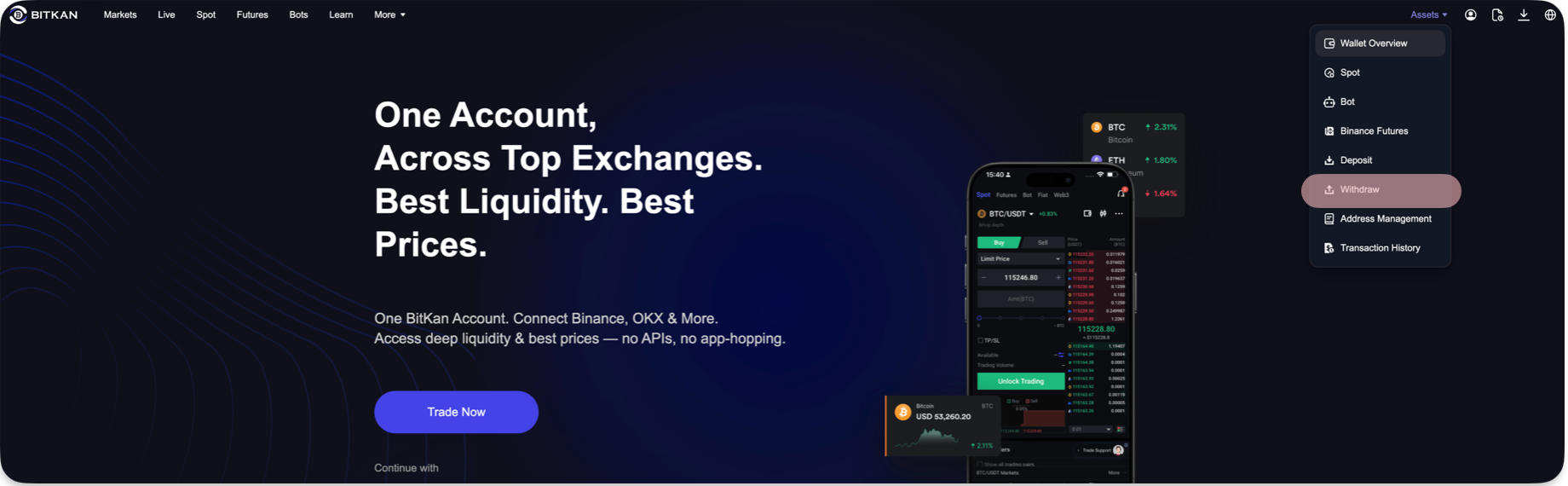
1. Log in to the BITKAN website, select 【Assets】 in the upper right corner — 【Withdraw】 — search/select the currency 【USDT】.
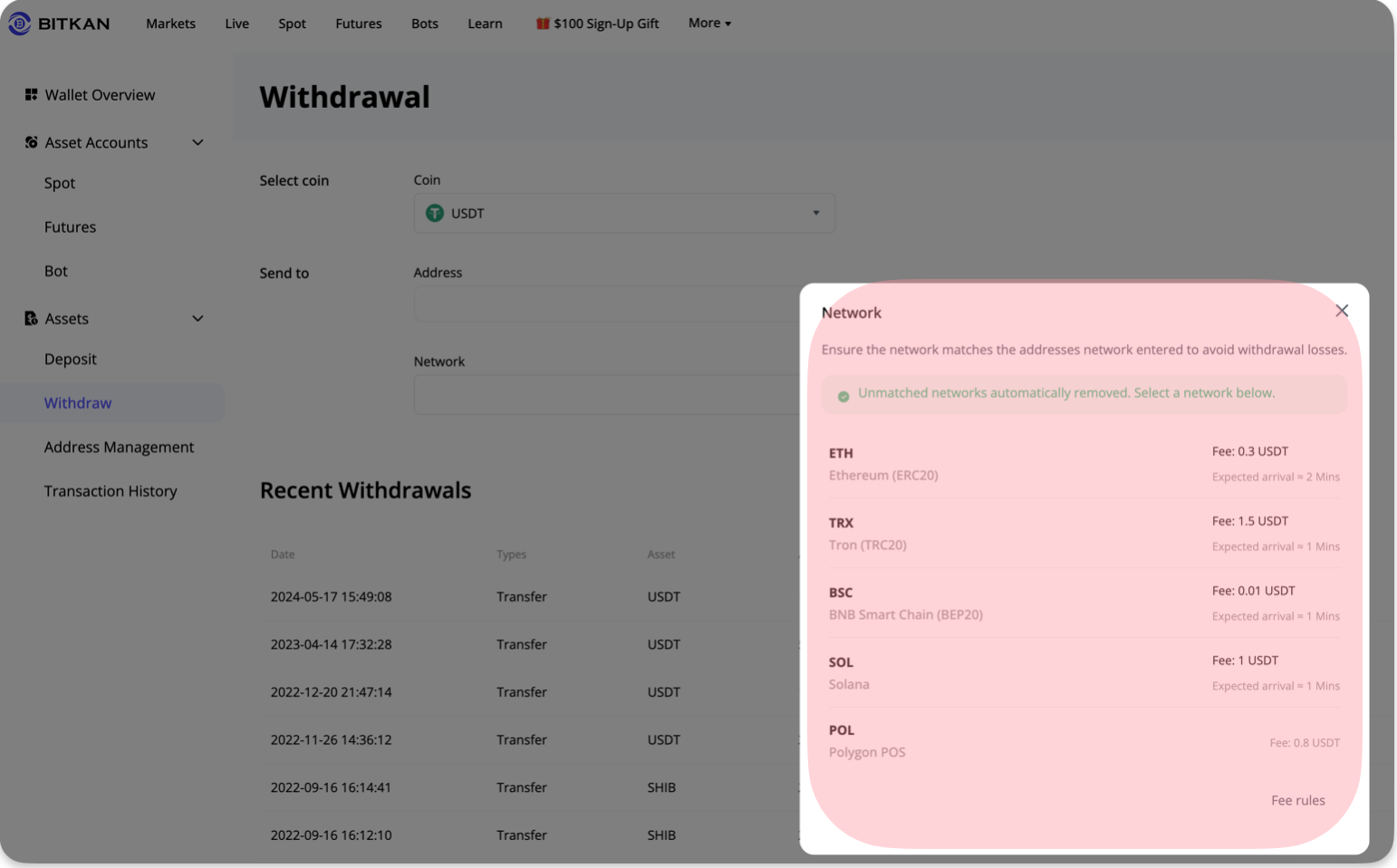
2. Enter/paste the 【withdrawal address】 — select 【network】
3. Enter the 【amount】 — click 【Withdraw】 (the page will display the minimum amount, the amount to be received, and the network transfer fee)
4. Enter the relevant password and verification code as required to complete the operation.
Note: When selecting the withdrawal network, the 【deposit/recharge network】 of other exchanges or wallets must be consistent with the BitKan withdrawal network, for example, both must be Tron (TRC20), otherwise the coins will be lost.