Buy your first digital asset in less than 5 minutes!
First, ensure that you have downloaded and registered a BitKan Account. If you haven’t done so, you may download the APP here.
Next, follow these steps:
1. Complete KYC Verification
2. Buy USDT with fiat currency
3. Buy Bitcoin with USDT
Step 1: Complete KYC (Know-Your-Customer) Verification
KYC is an authentication of the account holder’s identity, and you need to complete the authentication before proceeding to buy digital currency in fiat currency. For a better understanding of the steps, you may check out our YouTube video.

There are three levels to be completed in KYC verification. Each level requires the appropriate documents as stated. The first level is Identification Verification. Once it is completed, users will have an increase of transfer limit to 1,000,000 USDT / 24H. The second level is Video Verification. Once it is completed, users will have an increase of transfer limit to 2,000,000 USDT / 24 H. The third level is Institutional Verification. Users need to provide institutional documents to complete this section. It is recommended that Identification Verification and Video Verification are to be completed before proceeding with any transaction.
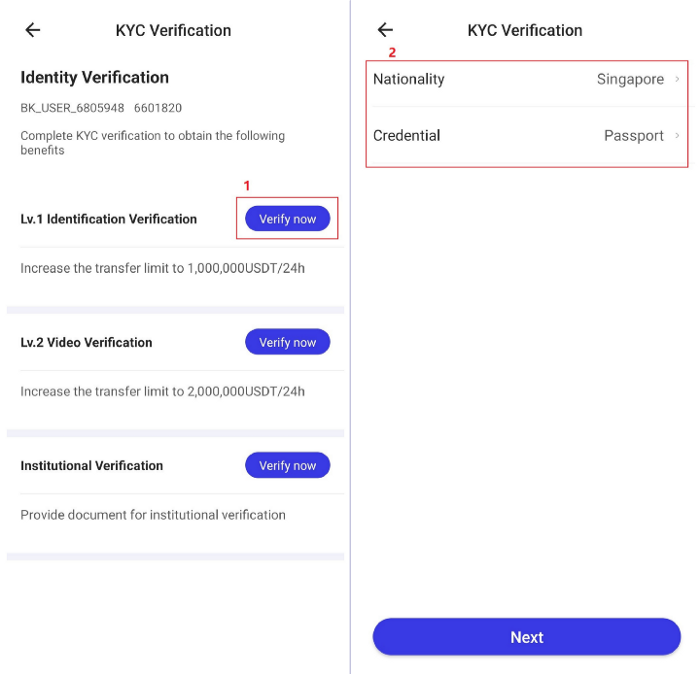
Level 1 Identification Verification requires uploading a clear and authentic photo of the front and back of your ID. In addition, face recognition is also required for the completion of this section.
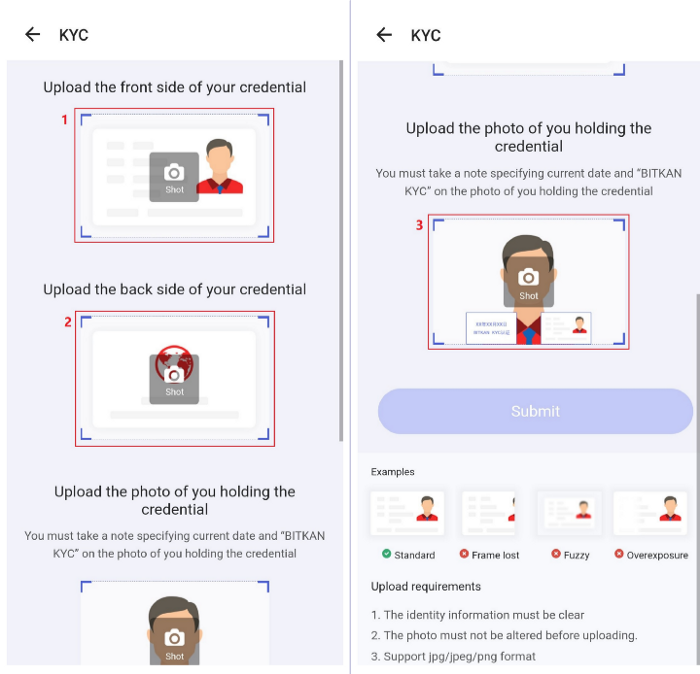
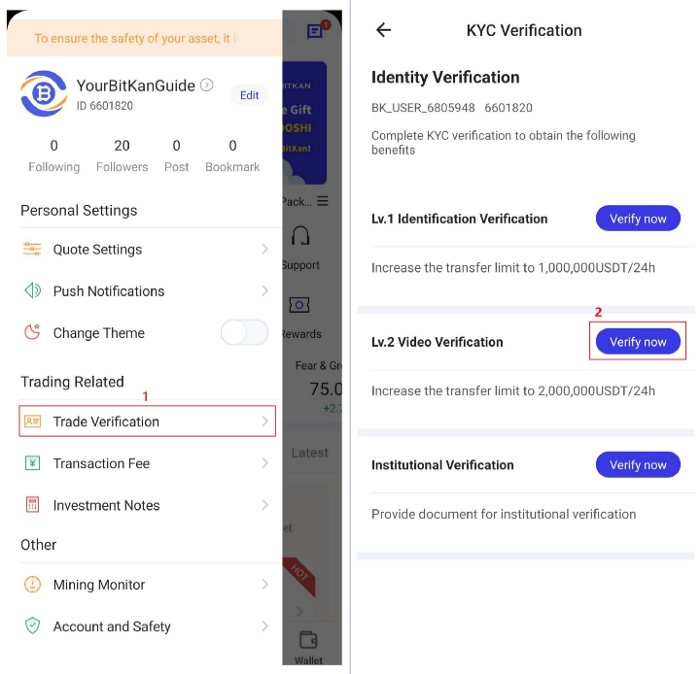
Level 2 Video Verification requires uploading a video of yourself through your mobile. In addition, dictation of text is also required for the completion of this section. Kindly note that KYC verification will be processed within 48 hours on working days.
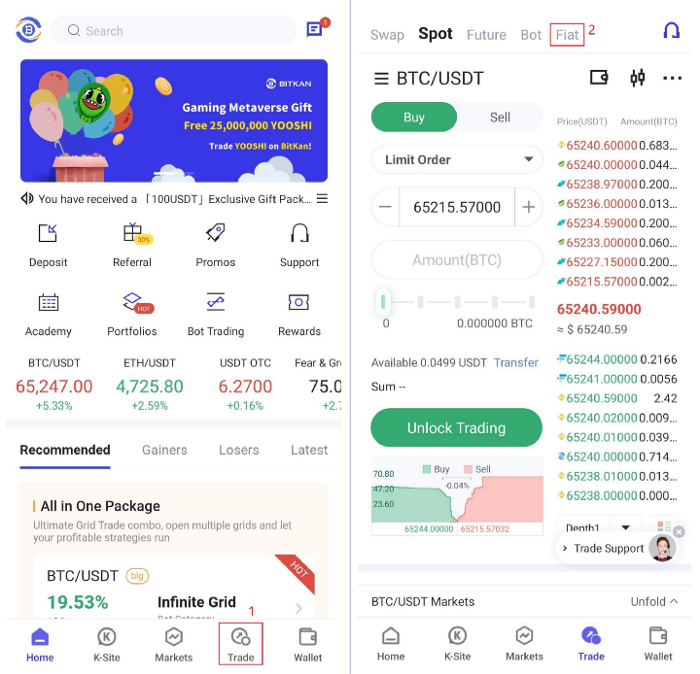
Step 2A: How To Access [Fiat]Section
Click on [Trade]on the bottom right of the app. Next, click on [Fiat]on the top right of the app.
Step 2B: How To Buy In [Fiat]Section
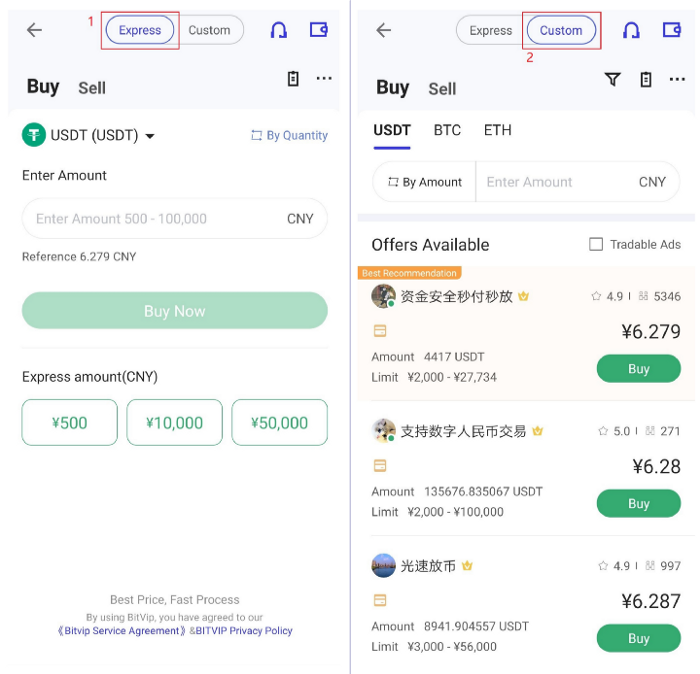
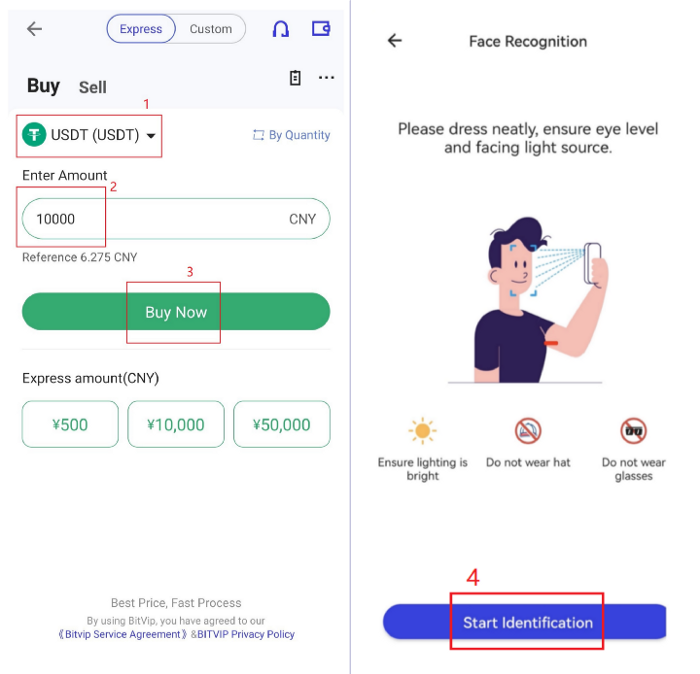
Select between [Express]or [Custom]. [Express]allows you to purchase from BitKan directly. [Custom]allows you to do a peer-to-peer transaction with someone who wants to sell USDT. Next, select your desired currency. In this case, it is USDT. Following this, enter the amount of fiat currency you wish to purchase. You can confirm your order by clicking on [Buy Now].
Step 2C: How To Confirm Buy Order in [Fiat]Section
Select your preferred payment mETHod. One example is Bank Transfer. Another example is AliPay. Some merchants may require video identity authentication. If so, kindly cooperate according to the requisites required to complete your buy order.
To Note:
Please ensure that the payment card that you use belongs to you, and all personal information is accurate and authentic. If the seller finds any discrepancies between the buyer and the payment card, the seller has the right not to release the coins. It is highly advisable to use a payment mETHod that doesn’t take a long time for authentication of fund transfer.
Please do not include any information with initials such as BTC, ETH and USDT in the transfer notes. This is to prevent your transfer from being intercepted, and your bank card from being frozen.
For interbank remittances of more than 5W during non-business hours (17:00–8:00 on holidays and weekdays), please pay in smaller batches (less than 5W can be received at any one point in time).
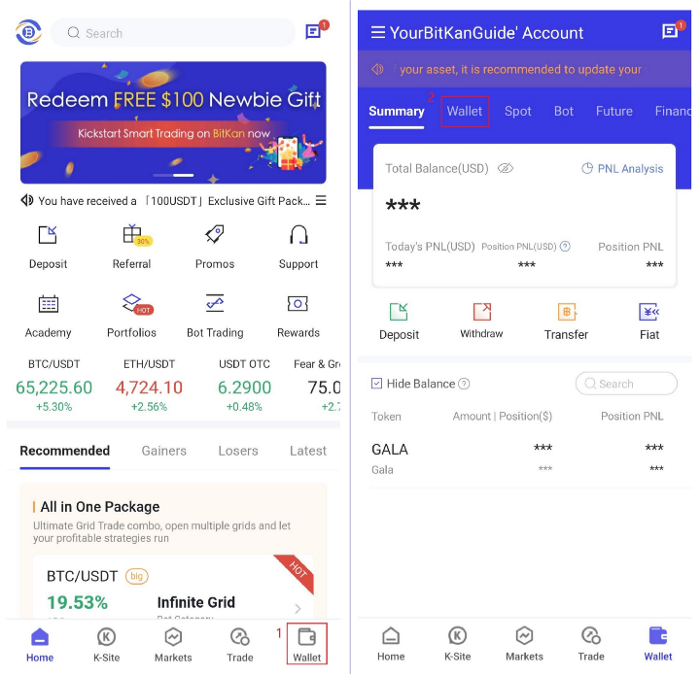
Step 3: Check that your funds are deposited in your wallet. In order to do so, click on [Wallet]at the bottom right of the app. Next, click on [Wallet]at the top left of the app. After a successful purchase of a digital asset, the purchased USDT will be reflected in your wallet.
Note: In addition to USDT, BitKan also supports the direct purchase of BTC, ETH, and other digital assets.
Step 4: How To Buy Bitcoin ($BTC)?
Step 4A: Transfer USDT from BitKan Fiat Wallet to Bitkan Spot Trading Wallet
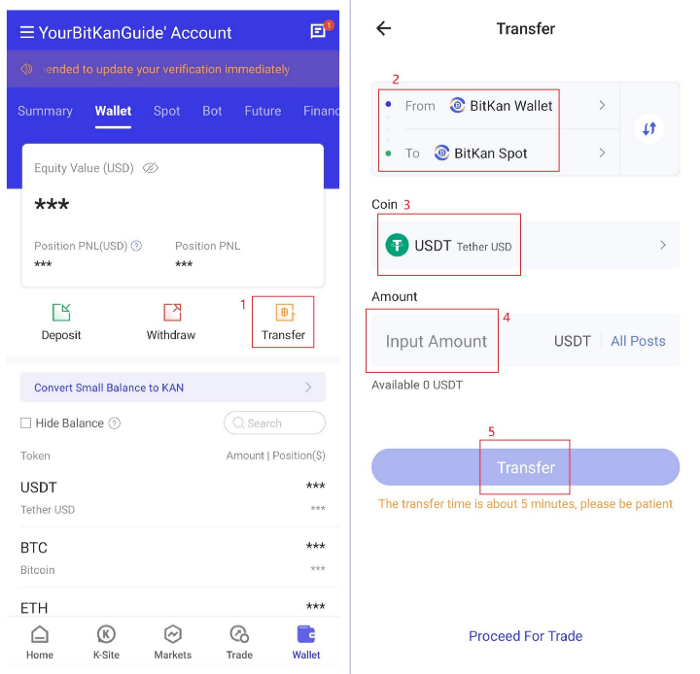
Click on [Wallet]at the bottom right of the APP. Next, click on [Transfer]which is located in the middle. This is the page where you can select how much USDT you would like to transfer from your BitKan Fiat Wallet to your BitKan Spot Trading Wallet. Moving on, enter the amount you would like to transfer, and click [Transfer]to proceed accordingly.
Step 4B: Head on to Spot Trading and buy Bitcoin with USDT
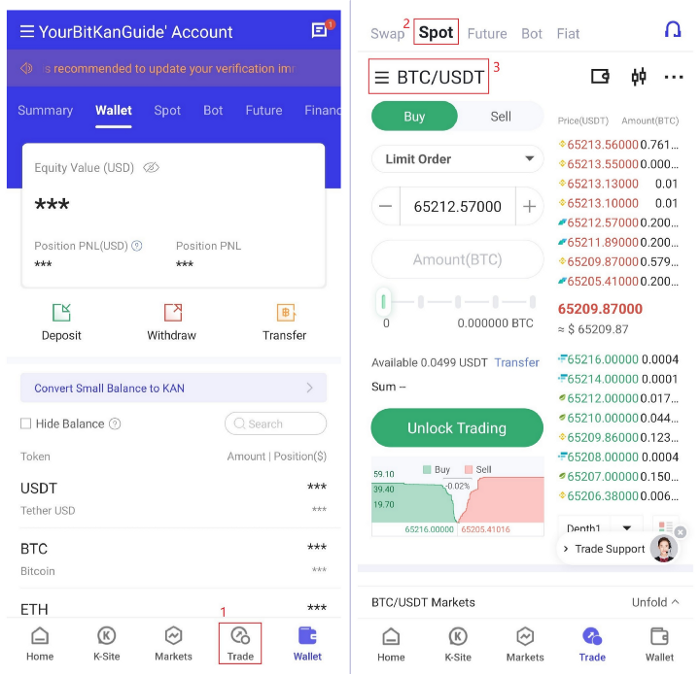
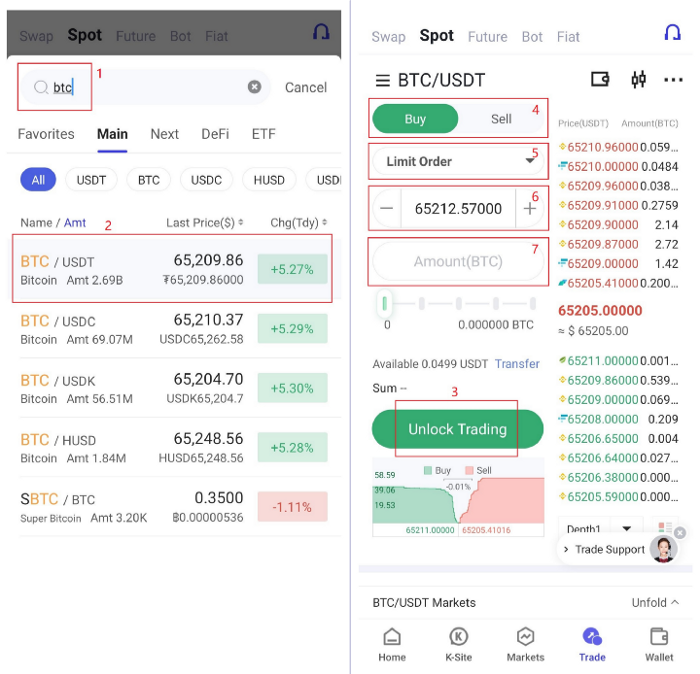
Click on [Trade]at the bottom right of the APP. Next, click on [Spot]which is located at the top left of the screen. This is the page where you can buy Bitcoin with USDT by selecting the trading pair of BTC/USDT. Click on the search function on the top left of the screen beside the current trading pair (Eg. ETH/USDT), and enter the keyword “BTC”in the search box. Next, select your desired trading pair, which is BTC/USDT in this case. Following after, click on [Unlock Trading], input your security password to begin trading. The final steps would be to input your limit order, the price you would like to buy at, the amount of BTC you would like to purchase, and click [Buy BTC].
Congratulations! You have successfully completed your first digital currency transaction on BitKan!