
Android — Tips to Download the BitKan APP:
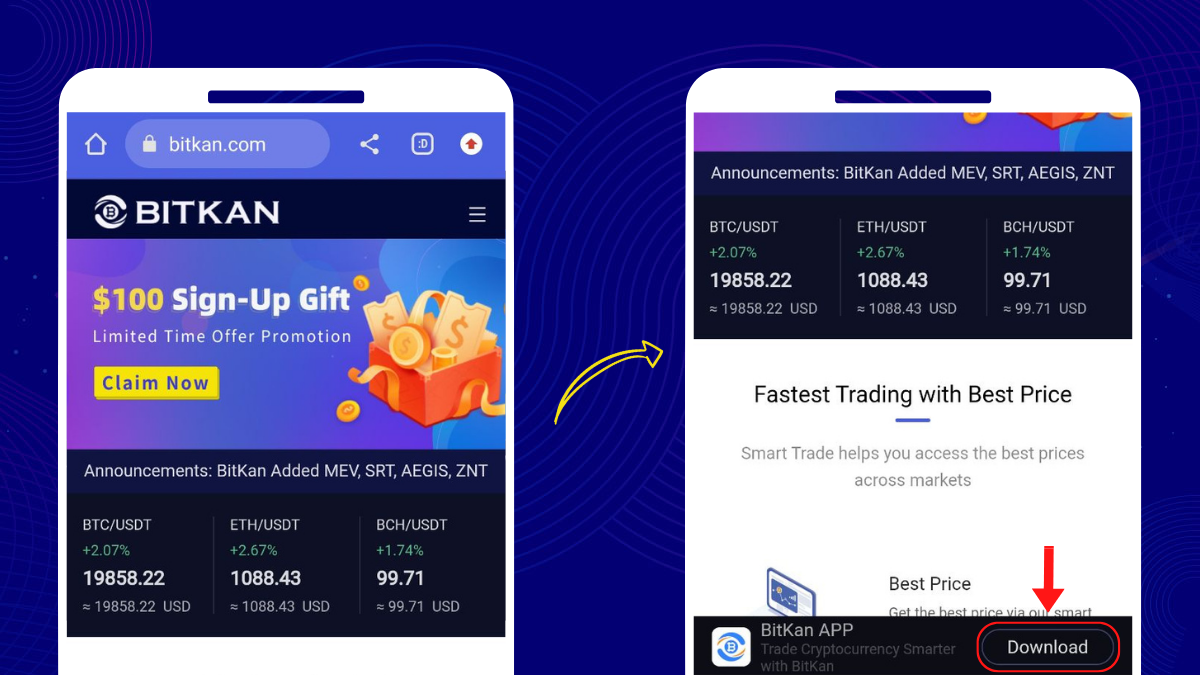
1. Go to BitKan’s Official Website— https://www.bitkan.com/
2. Click [Download] at the bottom of the page
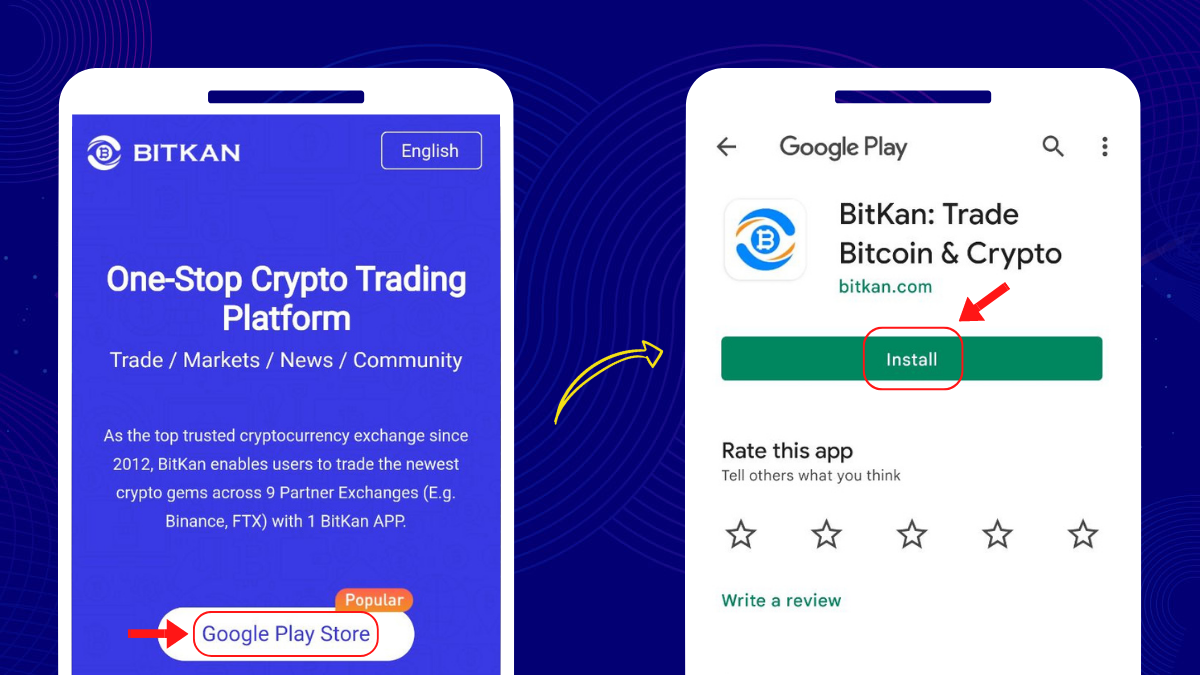
3a. Click [Google Play Store] → [Install]
3b. Type [BitKan] in the search bar of the Google Play Store→ [Install]
iPhone — Tips to Register for a BitKan Account (APP):
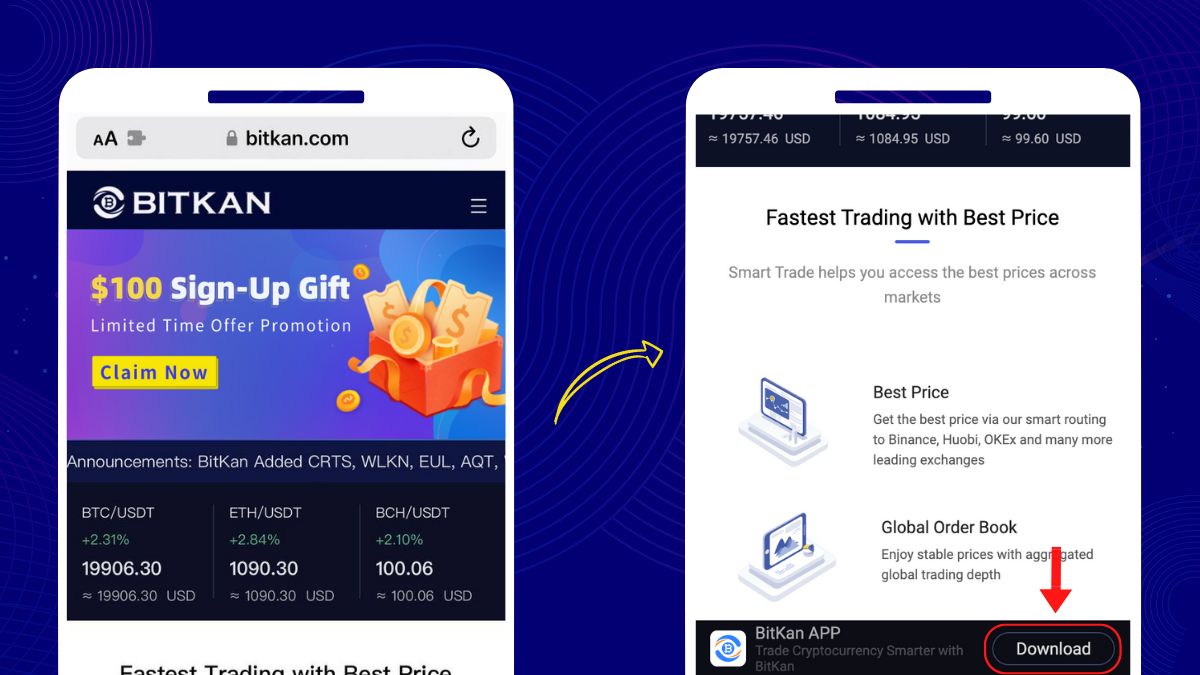
1. Go to BitKan’s Official Website— https://www.bitkan.com/
2. Click [Download] at the bottom of the page
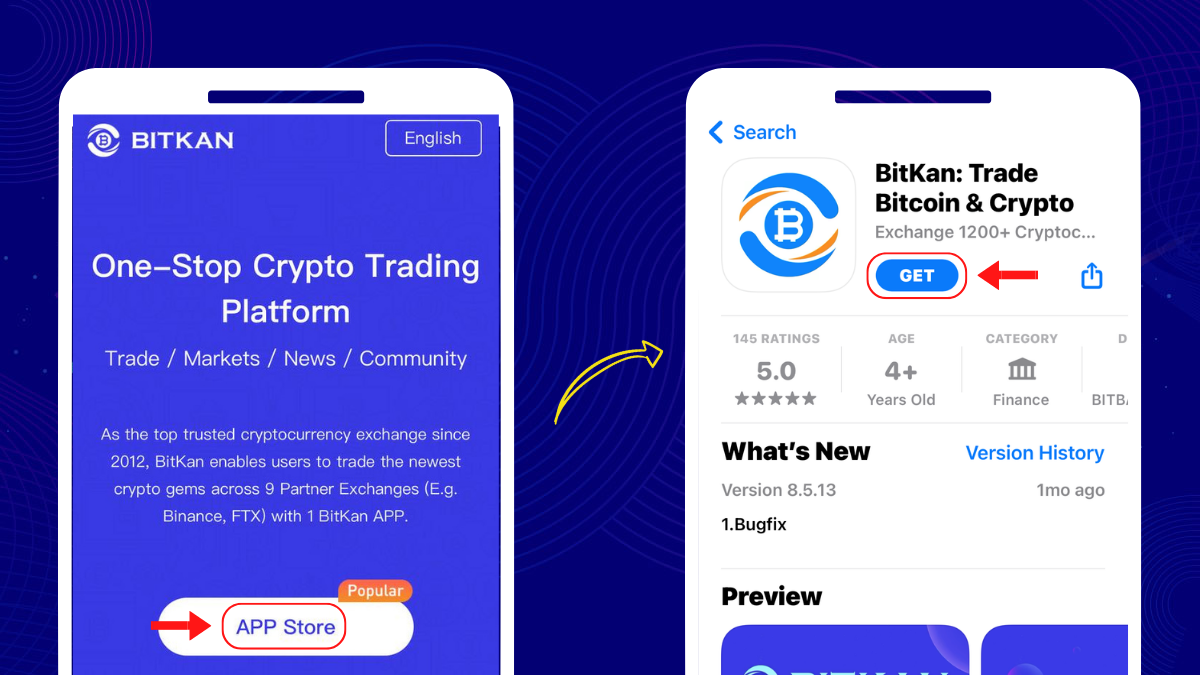
3a. Click [App Store] → [Get]
3b. Type [BitKan] in the search bar of the Apple App store→ [Get]
Congratulations! You have successfully installed the BitKan APP!