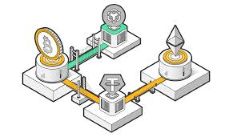
Do you know about BNB smart chain? If not, this article is for you. Today we will talk about what are the chains in crypto and how to connect MetaMask to BNB smart chain. Let’s find out by reading the article below.
What are the chains in crypto?
Build N Build (BNB) Chain is a distributed blockchain network on which developers and innovators can build decentralized applications (DApps) as part of the migration to Web3.
Decentralization is one of the core attributes of Web3 blockchain technology and its applications. A key design principle of such a system is that no one person or organization is in charge. Instead, the technology allows users to transact securely without having to rely on third parties to maintain trust. It also opens the door for computer software called smart contracts to automate many of these interactions, allowing the creation of decentralized applications that support a wide range of products from financial services (DeFi) to games (GameFi) and digital collectibles ( NFT) ).
As of October 2022, BNB Chain is the world's largest smart contract blockchain by transaction volume and daily active users. As of this writing, it has processed 3 billion transactions from 163 million unique addresses and has an ecosystem of more than 1,300 active DApps. The decentralized nature of the network means that anyone can build products on the BNB Chain without asking for permission, potentially reaching a large audience.
How to connect MetaMask to BNB smart chain?
MetaMask is extremely versatile and compatible with most decentralized applications (dapps) and decentralized exchanges (DEXs), including Binance Smart Chain (BSC). If you want to use MetaMask with Binance Smart Chain, here is a simple step-by-step guide to make it easy.
1. Open and log in to your MetaMask wallet.
2. From the account options on the circular icon, go to Settings.
3. Once in the settings, select "Network".
4. Press the Add Network button.
5. You will be taken to a new screen. This is the most important step, as this is where you will add information to connect to Binance Smart Chain. Enter the following new information and press Save:
Network Name: Smart Chain
ChainID: 56
Symbol: BNB
Block Explorer URL: https://bscscan.com
6. After adding this information, you will return to the wallet screen. There are two signs that Binance Smart Chain has been added to your MetaMask wallet. This is confirmed by the two red boxes shown in the screenshot below. The first box in the above figure shows the BNB token standard, and the bottom right shows "Smart Chain added successfully".
7. To deposit Binance Coin (BNB) into your wallet, you need to get your wallet address by clicking on it. You can then send BNB to your wallet.
I hope this article will help you to learn what are the chains in crypto and how to connect MetaMask to BNB smart chain. MetaMask has long been the passport of choice for accessing the vast Ethereum landscape. However, with minimal effort, anyone can configure it to point to the BNB Smart Chain.